Getting started
Install
Footman requires Python 3.11+ — the first Python that reads TOML from the
standard library (tomllib), which is what lets a tool built on
pyproject.toml configuration have zero runtime dependencies. It ships two
console scripts, footman and the two-letter fm — the same program under
both names, so if some other fm already lives on your PATH, the long
spelling works everywhere the short one does. Added to a project, they
live in that project's environment, so reach them with uv run fm … (or
activate the virtualenv and type fm directly).
You can also install it once, globally (uv tool install "footman[uv]" —
the [uv] extra bundles uv itself, so the handoffs below work even where
no uv is on the PATH),
and still type plain fm everywhere: a project whose lockfile pins footman
runs its own pinned copy, and a standalone tasks file can carry its own
dependencies inline. The full rules, and the opt-out, live in the
cookbook:
a tasks file that carries its own dependencies.
Any copy can do that global install for you: fm self.install runs
uv tool install --upgrade footman --with uv — installing when nothing is
there, moving an existing install to the latest release otherwise, and
bundling uv either way. It always installs the latest release, even from a
project's older pinned copy (uv run fm self.install): the command is about
the fm on your PATH, not the one that happens to be running.
fm self.add <package> puts a package in that same environment and, by
default, mounts whatever built-in tasks it advertises — so a devkit's
commands answer straight away, wherever you are. fm self.remove takes one
out again, fm self.uninstall takes the whole thing off, and fm self.path
says where footman keeps its cache, data and config.
Write a tasks file
Tasks are plain functions. A @task decorator registers one; a group() opens
a nested command group. fm new writes a starter file in the directory you
run it from, or put a tasks.py at your project root yourself:
from footman import task, group

@task
def lint(fix: bool = False):
    "Run ruff over the project."
    ...

@task
def test(marker: str = "", *pytest_args):
    "Run the test suite (extra pytest args after --)."
    ...

docs = group("docs", help="Documentation")

@docs.task(infinite=True)
def serve(port: int = 8000):
    "Serve the docs locally."
    ...
The docstring's first line is the task's help text: it shows up in
fm --list, fm --help <task>, and your shell's completion menu. Document
parameters there too: an Args: section (Google, NumPy, or Sphinx style,
see typed signatures) puts help on
each option in --help and in completion.
The command name is the function name with underscores turned into hyphens
(add_word → add-word). A module of functions becomes a flat set of commands;
each group() opens a nested command group. A nested task's address is one
dotted token: fm docs.serve, the same spelling everywhere for running,
--help, --where, and completion (typing fm docs serve gets a one-line
correction, not a guess).
Run tasks
fm lint --fix
fm docs.serve --port=8001
fm --list            # every task, flat
fm --tree            # grouped by command group
The signature is the CLI: fix: bool = False becomes a --fix flag,
port: int = 8000 becomes a typed --port option, and a parameter with no
default becomes a required positional. See
Typed signatures for the full mapping.
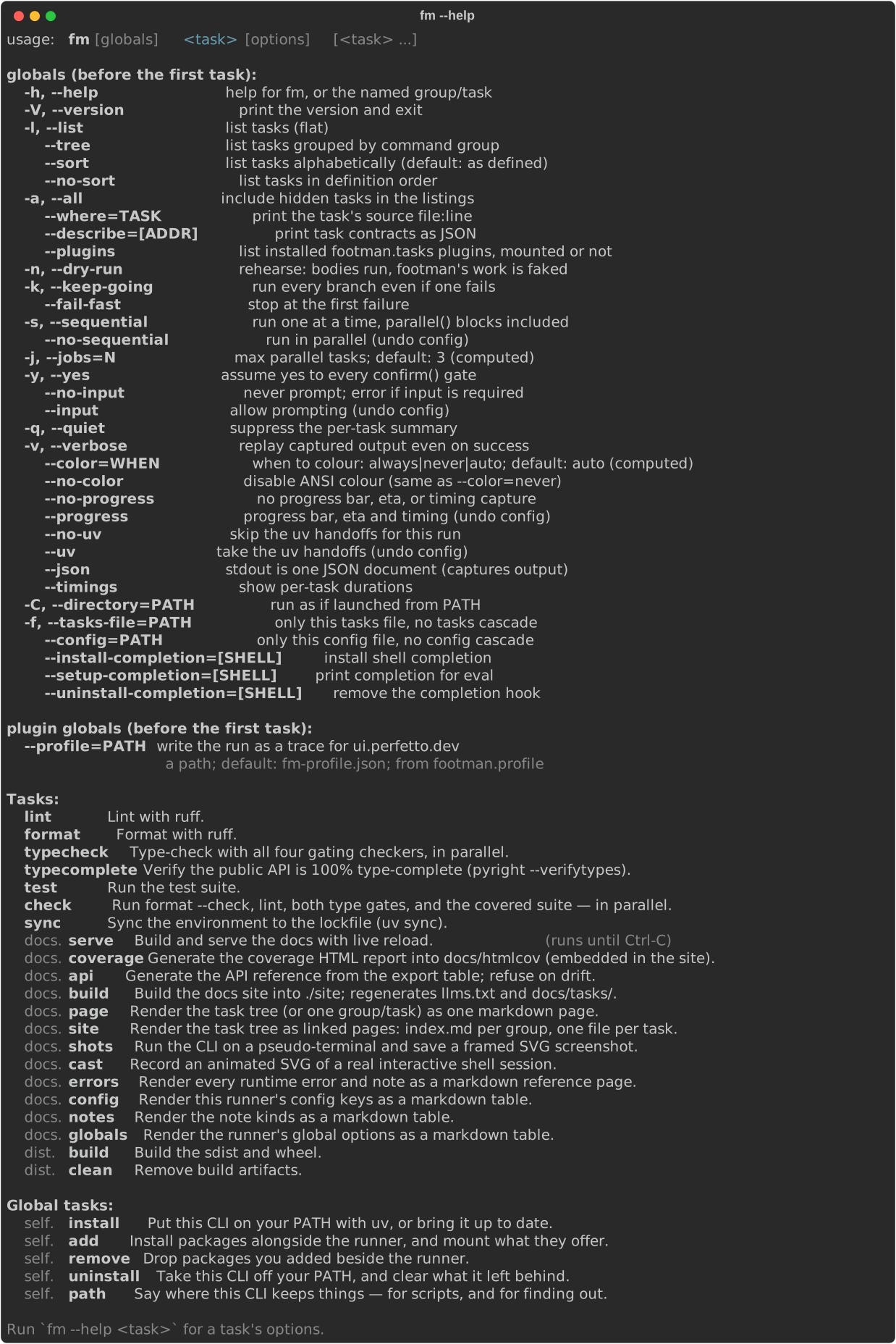
fm --help documents the runner itself, captured here from a real
terminal and regenerated on every docs build:
Chain several tasks
List more than one task on a line and footman runs them as a chain, with no separator needed. The manifest (footman's cached description of your task tree, the same file that powers completion) tells the parser every task's exact shape, which is what makes the split deterministic:
A chain reads without a manual: a bare word is a task (or a positional
value), --x is a flag, and an option's value is always =-attached, as in
fm lint --mode=strict test, shorts included (-j=4). A value across a
space refuses with the fix spelled out: --mode strict answers
"did you mean --mode=strict?".
Independent tasks in the chain run in parallel by default; -s/--sequential
forces one-at-a-time. See Chaining & parallelism.
Pass arguments through
Everything after -- is handed to the task as passthrough, reachable via a
*args parameter or passthrough():
Dry-run: the rehearsal
-n/--dry-run rehearses the run. Task bodies execute, and every command
footman itself would have run is printed instead of run, so what you see
is the real plan with real bound arguments:
Because bodies run, your own inline code runs too; it was never footman's
to fake. Anything you hand to run() is exactly what a
rehearsal fakes, which is one more reason to hand commands to it. Yes/no
gates are assumed yes (with a note saying so), and prompts take their
defaults, because a rehearsal is unattended by nature.
Four words you'll meet everywhere
- Manifest — the cached JSON description of your task tree; powers completion and the chain split.
- Cascade — in a monorepo, the merged set of
tasks.pyfiles from the repo root down to your directory. See Monorepos & config. - Chain — several tasks on one command line; independent ones run in parallel. See Chaining & parallelism.
- Context — the per-task object behind
run(); you rarely touch it directly. See Running tools.